 Voxera
日本人の英語コミュニケーションに
日本語で話すだけ。英語のメールもチャットも。 多言語ハブ — 話した言語のまま、そのまま送れる英文に
こんな往復、していませんか 日本語で下書き → 翻訳タブ → コピペ → 体裁を直す。
Voxera なら、話すだけで送れる英文まで。
- 1 日本語で話す キーボードも翻訳タブもいりません
- 2 送れる英語に整える 敬語・トーン・箇条書きまで自動で調整
- 3 入力欄へ直接入力 メール・Slack・チャットにそのまま
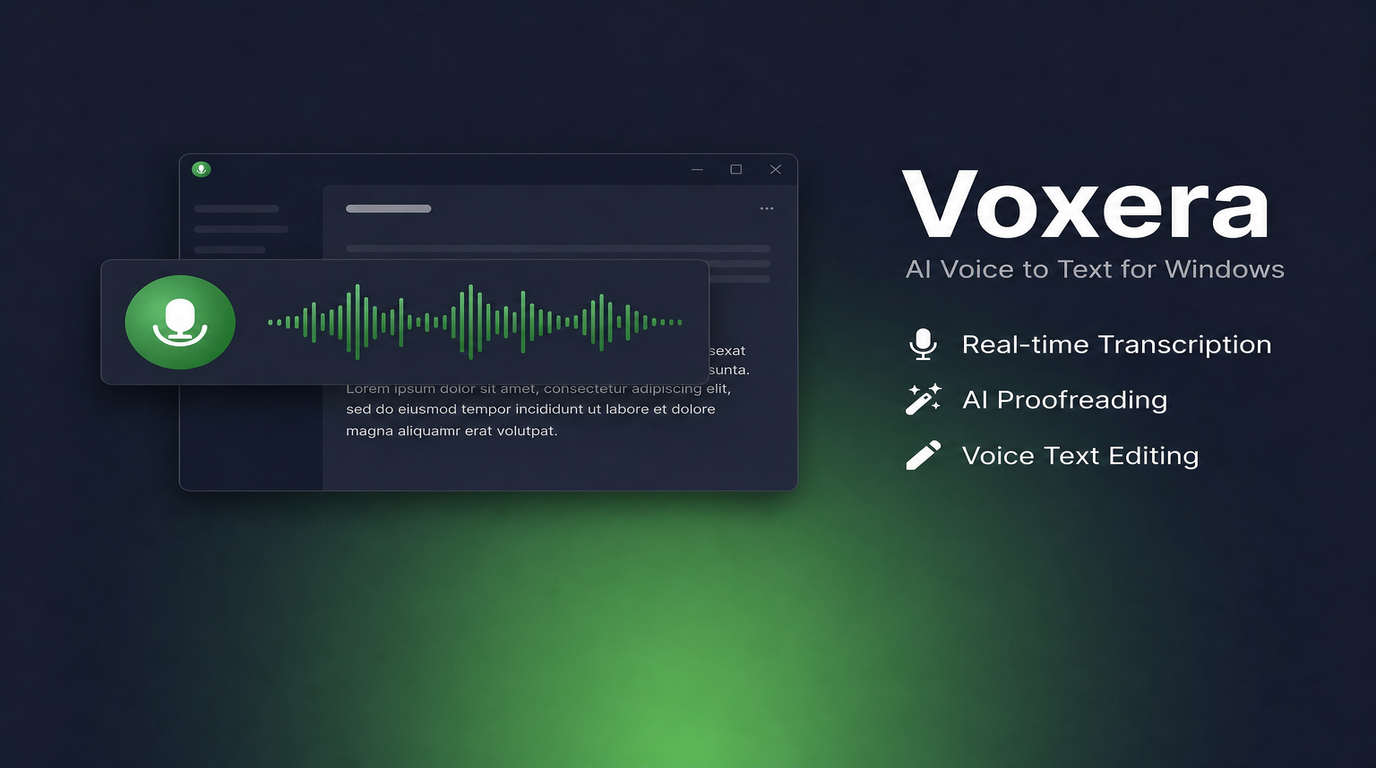
Voxera の機能
あえてシンプルに
Voxera が絞り込んだのは、サインインと画面の出し方の2点です。サインインはGoogle・Microsoftのアカウントだけ。専用のID・パスワードは作りません。操作はホットキーと細いフローティングバーに集約し、バーは録音・文字起こしなどの処理中だけ表示。待機中は自動で隠れるので、いまの作業を邪魔しません。
フローティングバーとホットキー
カーソルに直接入力
カーソル位置に音声転写
テキストを選択しなければ、ホットキーで録音のオン/オフを切り替えながら話すだけ。文字起こしした文が、校正されたうえで、いまフォーカスしている入力欄のカーソル位置に入ります。メールもチャットも IDE も、フォーカスさえ合っていればそのまま文字に。無料プランでもここが主役です。
入手する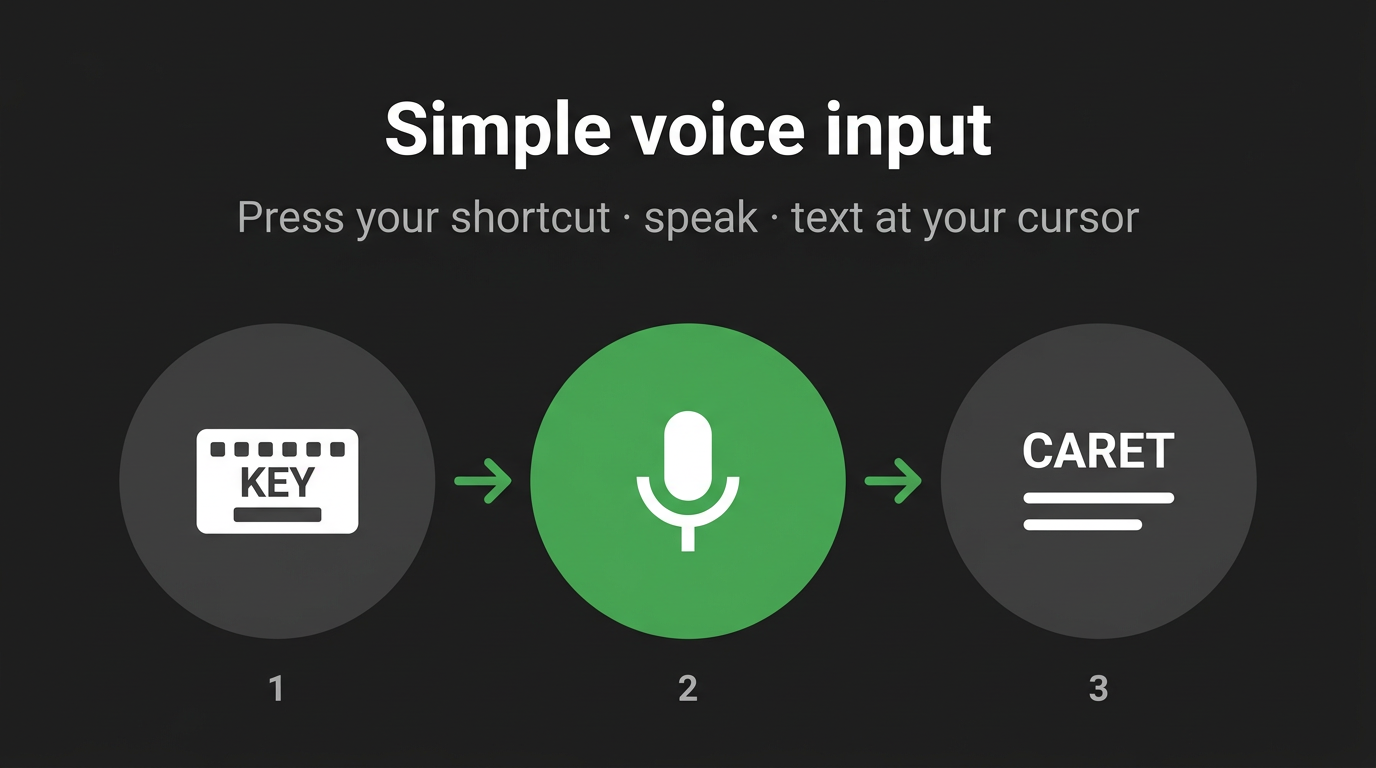
選択して書き換え
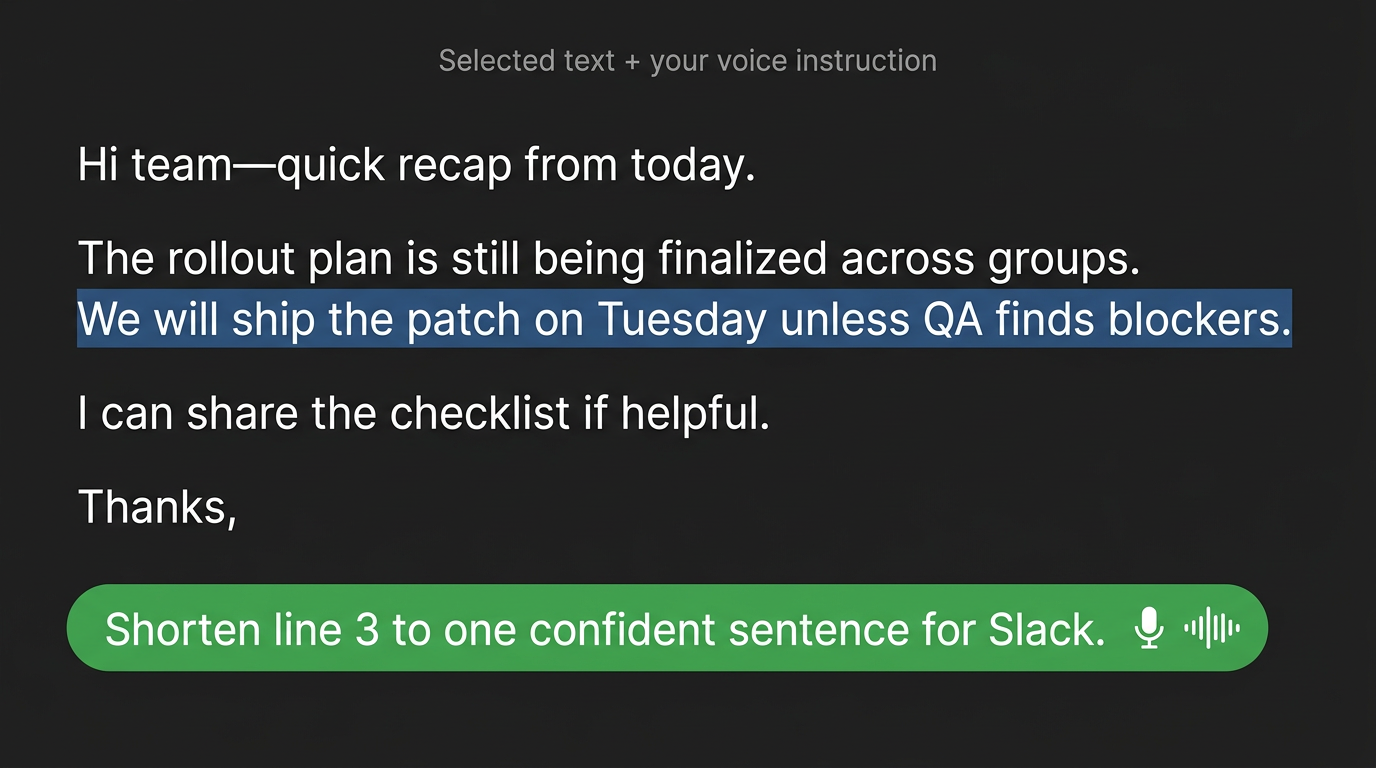
テキストを選択して音声指示
テキストを選択した状態で録音すると、その範囲への「指示」として動きます。「短くして」「もっとフォーマルに」「箇条書きに」など、声の内容がその場で反映され、選択範囲を書き換えます。同じホットキーで、足す編集(追記)と直す編集(書き換え)を行き来できます。
いまの作業に、そのまま乗る
ホットキー一発で
メールもチャットも IDE も、フォーカスさえ合っていれば頭の中の言葉をそのまま文字に
「選んでから話す」をちゃんと扱う
多くの音声入力はカーソルへの追記が中心。ハイライトに向けて指示を飛ばす体験は、かゆいところに手が届く感覚です
独自の環境に言葉を寄せる
辞書とカスタム指示で、固有名詞や略語、トーンを揃えやすくします
長文・連続入力
ライブ注入
録音中に一定間隔でカーソルへ逐次貼り付け、長い会議・取材・ウォークスルーでも「止めるまで空欄」のストレスを減らします。議事メモや仕様・チケットを、別メモではなくいま開いているドキュメントや Slackへそのまま口述したいエンジニア・PM・ライターなどに向いていて、いまの入力欄に溜まっていく感覚で進められます。
グローバルな執筆
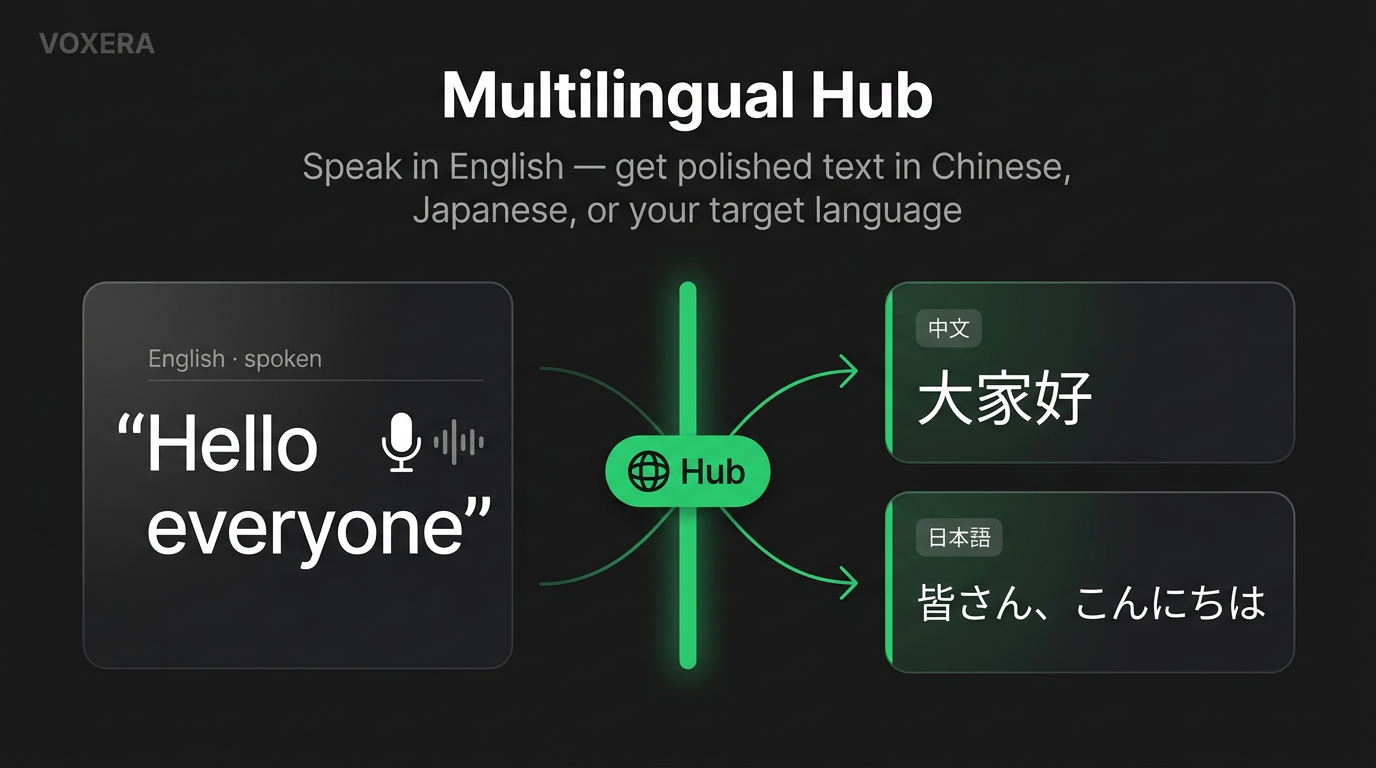
多言語ハブ
話す言語のまま貼り先の言語・文体・トーンまで整え、フォーマル/短文/箇条書きなど用途のプリセットから選べます。海外の取引先メールや、読み手の言語・敬語レベルが頭の中の言語と違う Slack の返信、英語と日本語を同じ日に何度も切り替える営業・サポート・コンサルやグローバルチームの担当者に向けて、翻訳タブとコピペの往復を減らし、その場で送れる形に近づけます。
言語
日本語を含め9言語に対応
文字起こしは設定で言語を1つ選び(Whisper 向けに固定)、その言語として認識します。
- 英語EN
- 日本語JA
- 中国語ZH
- 韓国語KO
- ドイツ語DE
- フランス語FR
- スペイン語ES
- ポルトガル語PT
- ロシア語RU
実際の入力フローまで含めて同じ言語セットで検証しており、数だけ増やした未検証のロケールは載せていません。
仕事の生産性アップために
画面を切り替えずに話すだけ
どのアプリでも手順は同じ。カーソル位置で音声テキストを入力するか、選択したテキストを編集する。音声まわりの一本に力を入れ、不要な機能は省くようにしています。
主要なアプリに対応しています
Slack、メール、Notion、ターミナル、各種IDE など、文字を打つ場所ならどこでも。カーソル位置に流し込むのも、範囲を選択してから声で直すのも、同じ入力欄の中で完結します。
短く話しても長く話しても
フローティングバーは小さく、録音中も画面を圧迫しにくい構造です。一文ずつでも、まとめて口述でも、処理の待ち時間が気になりにくいよう調整しています。
いま開いている画面を自動参照
手元のウィンドウに出ている単語を、文字起こしや校正のヒントにします。
プログラマーやライターなどに最適です
プロンプトもコマンドもそのまま声で
あらかじめ設定した言葉を話すことで、登録したショートカットコマンド操作が可能です。辞書に自分のスタック用語を登録することで、ログ行や API 名が文字起こしで潰れにくくなります。
-
声がトリガーになるショートカット
「このフレーズを聞いたらこのキーを送る」と決められます。マクロや送信、エディタのコマンドも、新しいキーバインドを増やさずに実行可能です。
使用感
「タイピング量が減った」と実感しやすい
定型的な入力にかかる時間が短くなり、チャットやメールの返信が早くなります。
タイムパフォーマンスの最適化
細かい修正や下書きを声に任せられるぶん、ほかの判断や設計に時間を回せます
自動校正
自動校正により、誤字脱字や重複した言い回しを防げます
用語がブレにくい
辞書とカスタム指示で、社内用語やトーンをそろえやすくします
チャット・メール・メモ
テキストを選択して「こう直して」と話す
段落を選択して音声指示し、まとめて編集するのもよし。ぐちゃっとした一行を 選んでから「ビジネス向けに」「Slack 向けにもう少し短く」と 声で頼むのもよし。その場で書き換えが入ります。
たたき台ファースト
白紙に、まず骨子を声で埋める
仕様や企画では、本文より先に章立てや箇条書きが決まることが多いです。その骨子を、いま開いているドキュメントのカーソル位置へそのまま話して流し込めます。別メモに書いて貼る往復なしに、一段目の下書きを埋め始められます。
推敲や整文はこのあとでよく、白紙から抜けるまでの時間を短くできます。Google ログイン時はクラウド同期された履歴から、あとで「あの言い回しどう言ったっけ」と拾い直すのも簡単です。
挿入先 · いまのドキュメント
声で話す構成メモ
料金ページで伝えたい3点——無料と有料の違い、速さと精度、比較表の有無…
→
このあと推敲・追記へつなげられるたたき台
特長
Voxera アプリの特長
-
01
最高レベルの音声認識
Whisper large クラスの環境を想定したモデルを、Voxera 経由で利用できます。 9言語(EN / JA / ZH / KO / DE / FR / ES / PT / RU)は、音声転写から選択テキストの編集まで、厳しい検証テストに合格しています。
-
02
選択したテキストへの音声指示
フォーカスしているアプリでテキストを選択し、「こう変えて」と話すとその場でテキストを差し替え。新しく話して足す動きと、選んでから直す動きの両方を、同じ操作系で扱えます。
-
03
ライブ注入
長い録音中も一定間隔でカーソルへ文字を流し込み、「止めるまで空欄」のストレスを減らします。会議メモや長文の口述、仕様のたたき台など、いまの入力欄にそのまま溜まっていく動き向けです。
-
04
多言語ハブ
話す言語のまま、貼り先の言語・文体・トーンまで整えて出力できます。フォーマル/短文/箇条書きなど用途のプリセットから選び、海外メールやクロスロケールのチャットに向けた一文に近づけます。
-
05
カスタム辞書
社名、プロダクト名、略語、コード用語などを登録して、認識結果をブレさせにくくします。
-
06
カスタム指示
文体や禁止事項、出力のルールをあらかじめ決めておけます。メールとチャットでトーンを変えたいとき、選んだ段落だけルールを当てたいときに効きます。
-
07
Windows 向けに最適化
Windows に馴染むホットキーと UI Automation によるテキスト取得で、カーソル位置への音声転写も、選択したテキストへの操作指示も自然に行えます。
-
08
Google アカウントとクラウド同期
Google でログインすると、設定・辞書・書き起こし履歴がアカウントに紐づいてクラウド同期されます。
ローンチを終えて
こんな場面で、じわっと効いてくるはずです
- チャットツールで返信が続く日——短い言い換えやトーン調整を、ウィンドウを切り替えずに済ませたいとき。
- メールやドキュメントで、丁寧語・箇条書きに整えたい下書きを素早く出したいとき。
- エディタやターミナルで、英語・記号・固有名詞が混じる行を、打鍵より先に声で出したいとき。
- 仕様メモや議事のたたき台を、画面に向かって話しながら一度ダンプしたいとき。
- 選んだ段落だけを「もっと短く」「ビジネス向けに」など声の指示で差し替え——コピー&ペーストの往復を減らしたいとき。
- これから:辞書・画面コンテキスト・認識精度の改善を重ね、より多くの現場の「話した通りに残る」体験に近づけていく予定です。
料金
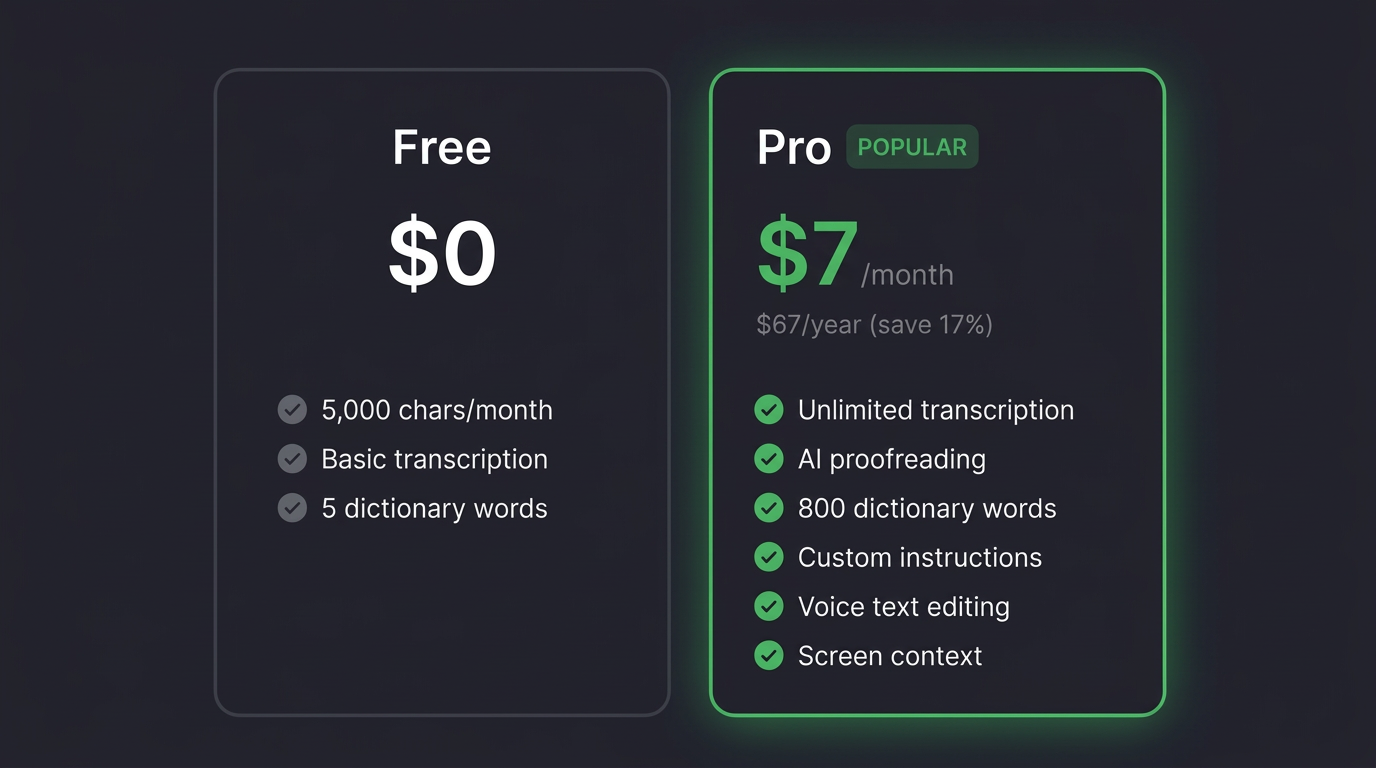
無料で試し、日常的に使っていただけるようなら Pro に
無料プランは Pro と同じ機能(カスタム指示、選択テキストへの音声指示、画面コンテキスト、辞書800語まで 等)が使えます。違いは利用量のみで、月1,500ワードまで。Proは無制限の利用で、月額5米ドル/年額48米ドルです。
次の画面で Google・Microsoft のいずれかを選んでサインインし、
決済画面でお支払いください。
上記価格は変更されることがあります。最新の価格はチェックアウト画面をご確認ください。
タイピングより先に声を
Windows 10 / 11(64bit)向けのデスクトップアプリです。
更新内容は GitHub の Releases にまとまっています。
初回ダウンロード時に SmartScreen の警告が表示される場合がありますが、セキュリティ上の問題はありません。
インストール手順(Windows)をご参照ください。